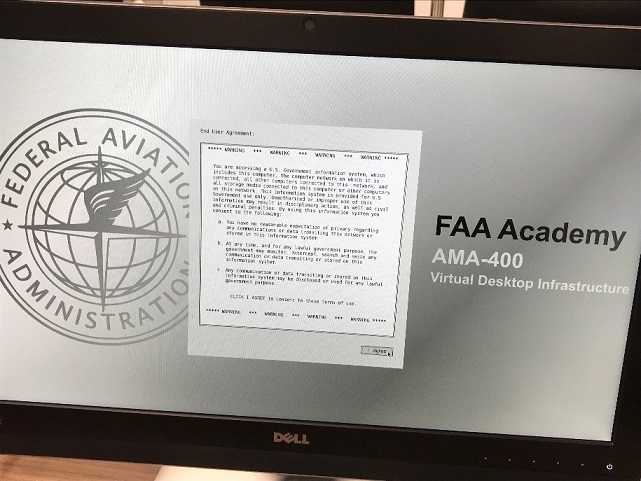
The FAA Academy in Oklahoma City is continuing to develop and deploy innovative tools that foster a culture of learning. Leveraging emerging technologies and delivery methods is essential for the Academy to remain a leader in aerospace learning solutions. Currently, personnel in the FAA Academy are using a combination of desktop computers, laptops, tablets, and iPads to deliver critical training. While exploring the possibility of using new technologies to link multiple classrooms and learning environments together, the Academy has implemented and is continuing to expand its use of a Virtual Desktop Infrastructure (VDI). The VDI environment allows the Academy to move away from traditional costs associated with purchasing and maintaining a desktop/laptop computer in the classroom, distance learning, and digital signage environments. Allocating VDI terminals and appliances to replace traditional technologies, enables the Academy to deliver training in a cost-effective manner.
The Academy has integrated VDI into two separate environments to include classrooms and digital signage, while piloting the use of VDI in the distance learning platform environment. Even though each environment poses different requirements and unique challenges, the use of a VDI solution lends itself to avoiding costs and maintenance associated with the current infrastructure. By implementing a VDI solution, the Academy has realized benefits in the following areas:
The Academy has currently replaced 866 traditional desktops with VDI terminals and has fully converted 54 classrooms. Future implementation involves an additional 418 VDI terminals across 27 classrooms. VDI has addressed many challenges that are posed by traditional workstations across all Academy training divisions. The Academy has addressed many unique challenges associated with the delivery of courseware in the classroom by implementing VDI, including but not limited to:
In a VDI classroom environment, users will no longer find a Central Processing Unit (CPU) at every desk. Instead, the Windows desktop experience is provided by a powerful server handling several users at a time. End-users can access their Windows desktops accordingly from practically any location, using many types of devices, including government-issued, secured mobile devices.
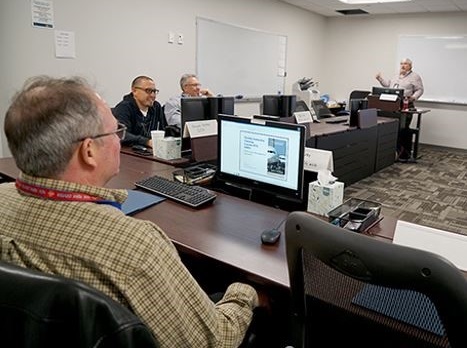
In the Academy classroom, standalone workstations will be replaced by terminal hardware that looks (to the untrained eye) like a common computer monitor. This terminal is simply, a monitor for the end user's Windows desktop, which is being delivered by the remote server. These terminals have an average useful lifespan of 8-10 years, costing only a fraction of a single, modest desktop PC. The monitors can be moved or replaced instantly with almost no configuration required, thus significantly reducing any down-time a student may experience in a classroom, and drastically reducing an instructor’s time in loading curriculum or ‘cleaning’ information from PCs after each class.
Flight Standards Training Division (AMA-200) is scheduled to get approximately 700 VDI terminals for in over 25 separate classrooms. Robert Posar, an Aviation Automation Specialist in AMA-200, says:
“It becomes difficult to keep these many traditional workstations up-to- date with operating system patches, anti-virus updates, active directory currency, etc. Generally, when powering on workstations that have not been used for a period of time, the machines need to be rejoined to the domain (by an administrator), and left powered on overnight to ensure that it receives appropriate security/software updates. Typically this can also require the machine to be rebooted at least once, or possibly several times during the classroom session.
When a student logs onto VDI, a new workstation is generated and is automatically joined to the domain. The student always receives a new workstation image with all the current updates and the machine is always joined to the domain, regardless of the length of time since the terminal’s last usage. The centrally managed VDI image process is an incredible time saver, both with keeping machines up-to-date, as well as providing a new classroom setup.”
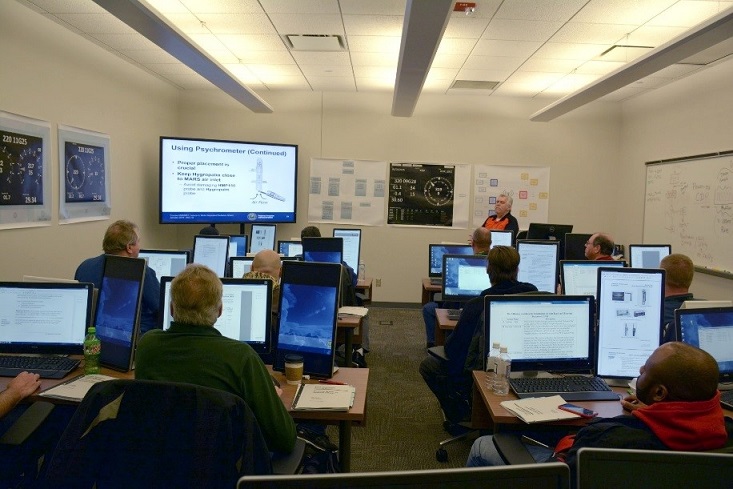
Technical Operations Training Division (AMA-400) has deployed 250 VDI terminals in 25 classrooms, located in eight different buildings. To date, 35 courses have been converted to a full VDI environment. Wendy Latta, Electronics Technician Instructor, reports:
“Overall instructor and student responses to AMA-405's VDI environment has been uniformly positive. Instructors are particularly enthused about the time savings offered by VDI's maintenance-free paradigm, along with the comparative ease of distributing digital materials to students and/or altering those source materials as needed. Instructors have also shown appreciation for the customizability of AMA-405’s VDI environment for their own course needs, including the installation of tools required for in-field, classroom simulations.”
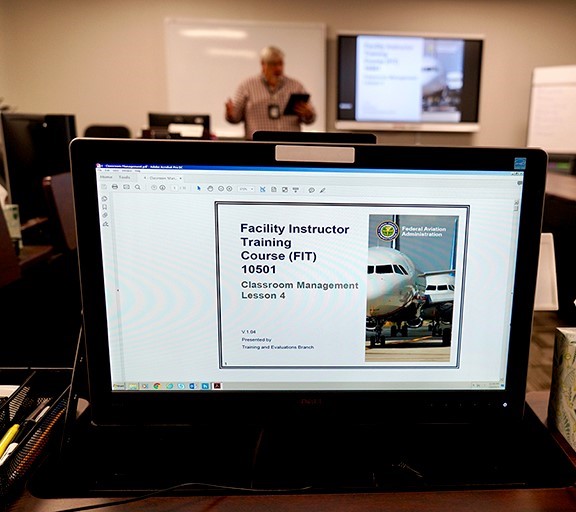
Training and Evaluations Branch (AMA-23) which teaches multiple Lines of Business has embraced VDI implementation. They have over 60 VDI terminals and VDI laptops currently deployed throughout five classrooms. Newly hired instructor Casandra Hughes, Instructional Systems Specialist, states:
“As a new instructor and technology enthusiast, I was surprised to see, not only the amount of technology available at the Academy, but the number of instructors who have embraced the use of technology. The VDI terminals provide many benefits to help aid the delivery of instruction. It provides faster access to network services for students by reducing login times. It has brought reduce the department’s costs down by limiting the amount of paper used to print student materials. The VDI terminals allow students to access course information quickly. Most importantly, students are able to take notes electronically and have access to materials upon class completion.”
The FAA Academy continues to modernize training delivery for FAA employees through implementation of VDI terminals. One hundred fifty thousand dollars has been saved so far, and another $200,000 in cost savings is anticipated for FY19. VDI is just one of the innovative tools that continues to help the Academy meet its mission to, “Provide mission ready employees.”